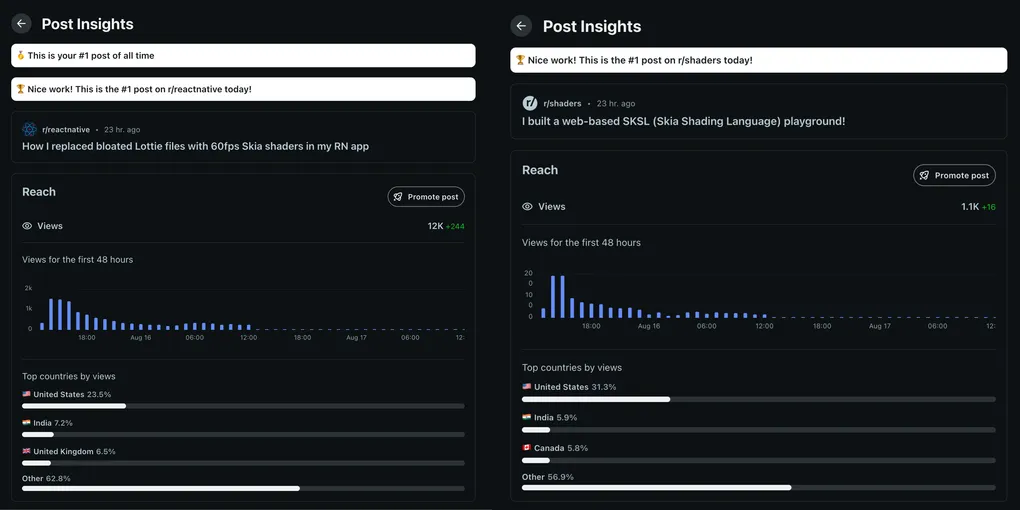
I accidentally hit #1 post of the day on r/reactnative and r/shaders
If you build developer tools, you know the struggle of trying to share what you’ve built online.
Recently, I shared a tool I built to solve my own workflow problems on r/reactnative and r/shaders. Within 24 hours, it blew up. It became the #1 post of the day on both subreddits and racked up over 12,000+ views and incredible engagement.
Here is a technical deep dive into the problem that resonated with so many developers: replacing bloated Lottie animations with 60fps Skia shaders.
The Lottie Performance Bottleneck
As mobile developers, we constantly strive to build rich, fluid interfaces that feel premium. Historically, when we wanted to drop a complex, high-quality animation into a React Native app, the default answer was Lottie.
Lottie is an incredible engineering feat, but it comes with a steep architectural cost. Under the hood, Lottie relies on parsing massive, complex JSON files. Even when the rendering itself is hardware-accelerated, the initial parsing and evaluation of that animation tree happens on the CPU. Once you start layering multiple complex Lottie animations, that parsing overhead absolutely tanks the JavaScript thread and drastically inflates your bundle size. Your “lightweight” React Native app suddenly feels sluggish, and frames start dropping.
I realized that the future of mobile animations wasn’t in parsing JSON paths, but in leveraging the GPU directly via SKSL (Skia Shading Language).
Shopify’s react-native-skia library binds directly to the underlying C++ Skia engine, allowing us to run SKSL directly on the GPU. You are expressing visual effects as pure math rather than evaluating keyframes. A complex procedural animation that takes megabytes of JSON in Lottie can be replicated with a few lines of SKSL weighing mere kilobytes. You get buttery-smooth 60fps animations with zero JSON bloat and zero JS bridge overhead.
The Developer Experience (DX) Nightmare
While the performance gains of SKSL were undeniable, actually writing it inside a React Native codebase was a nightmare.
Writing shaders directly in your React Native files means dealing with raw template strings. You lose syntax highlighting, you lose autocompletion, and you lose the rapid iteration cycle. If you make a math error in your shader, you often crash the app or have to wait for the Metro bundler to catch up. Translating standard GLSL from platforms like Shadertoy into SKSL was an exercise in frustration because there was no immediate visual feedback loop.
I needed a fast, isolated environment to write and test SKSL before dropping it into my RN app.
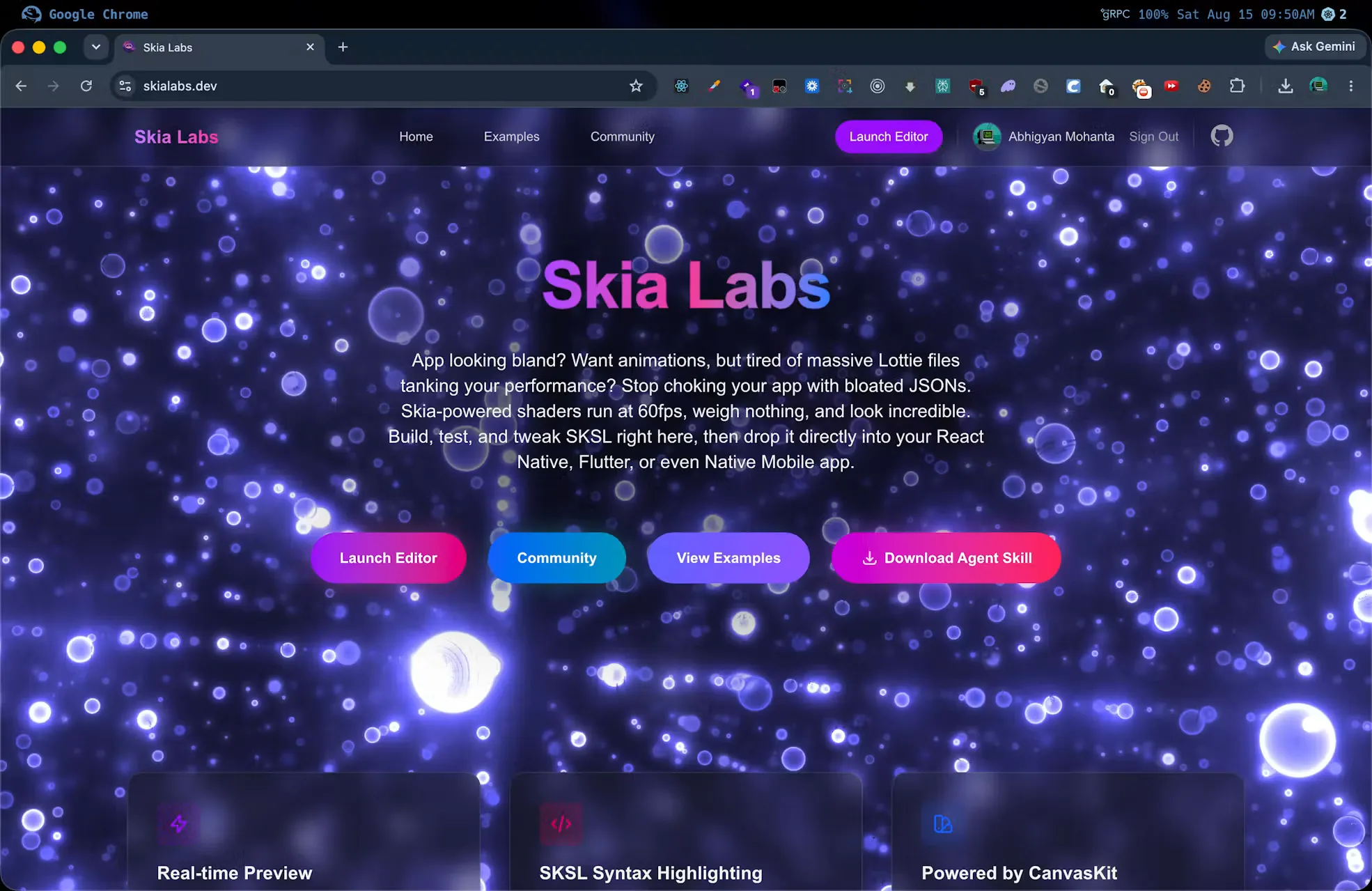
So, I built Skia Labs, a dedicated SKSL playground powered by CanvasKit WASM. It gives you a Shadertoy-like experience natively in the browser. You write your shader, see it render instantly at 60fps, tweak the math with immediate visual feedback, and then literally copy-paste the exact code block into your React Native, Flutter, or Native Mobile app.
Sharing the Solution
When I shared this on Reddit, I focused on the problem rather than just dropping a link. Developers have a high appreciation for technical problem-solving. Here is the post I made on r/reactnative (link to the post) that resonated so well:
How I replaced bloated Lottie files with 60fps Skia shaders in my RN app
If you’ve ever tried to add complex, rich animations to a React Native app, you’ve probably used Lottie. It’s great, but once you start adding multiple animations, parsing those massive JSON files absolutely tanks the JS thread and bloats your bundle size.
I recently started migrating my heavy visual effects over to shopify/react-native-skia using custom SKSL shaders, and the difference is insane.
Why it works better: Because React Native Skia bindings drop straight down to the underlying C++ Skia engine, SKSL (Skia Shading Language) runs directly on the GPU. You get buttery-smooth 60fps animations that weigh mere kilobytes instead of megabytes, with zero JS bridge overhead during the animation.
The DX Problem: The biggest issue I ran into was actually writing and testing the shaders. Translating standard GLSL to SKSL is a headache, and doing it inside a React Native project means dealing with raw strings, lacking syntax highlighting, and waiting for Metro rebuilds just to tweak a coordinate.
My Solution: I ended up building a dedicated web-based SKSL playground using CanvasKit WASM. It lets you write the shader natively in the browser, see it at 60fps instantly, and then you can literally copy-paste the exact code block directly into your RN project. I’ve found it speeds up my UI development by 10x since I no longer have to fight the bundler to test visual effects.
I just made the tool completely free and public today. Let me know if anyone wants the link to try it out and I’ll drop it in the comments!
The response was overwhelming because it named a shared pain point and offered a technical architecture shift to solve it. Many developers have run into Lottie performance constraints when pushing the limits of their app’s UI.
The “AI-to-App” Workflow
In the comments, developers asked for a guide on how I actually use this in practice. Here is the workflow I use to quickly iterate on visual effects:
- AI Generation: Instead of ripping a shader from Shadertoy directly (which introduces massive Creative Commons licensing issues for commercial apps), I use an AI agent equipped with a custom
sksl-shader-writerskill to generate an original procedural effect directly in SKSL. AI excels at this because SKSL is purely mathematical. - Tweak in Skia Labs: I drop the AI-generated code into Skia Labs to instantly test and tweak the parameters.
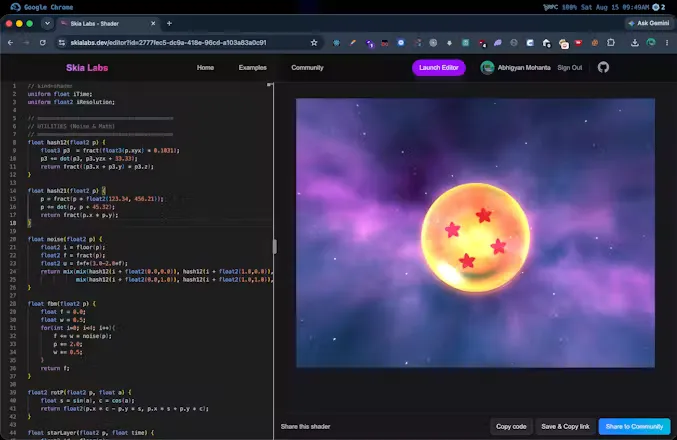
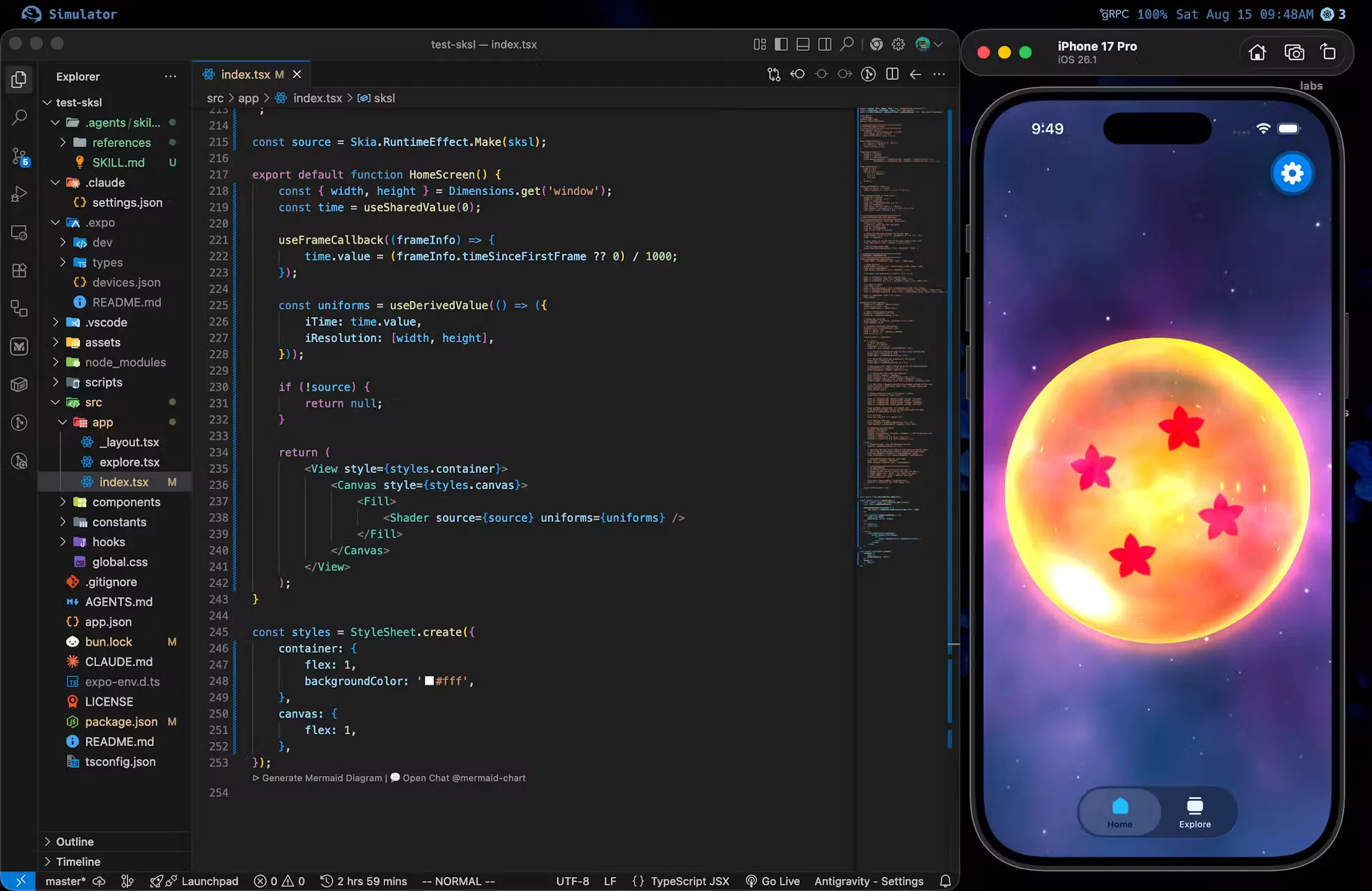
- Drop into RN Skia: Once it looks perfect, I drop the tiny shader code directly into my React Native codebase and use Shopify’s
react-native-skiato render it.
The Takeaway
While the sudden spike in traffic was exciting, the real validation came from the conversations it started. It proved a simple truth: when you build tools that solve your own deepest frustrations, you’ll almost always find a community fighting the exact same battle.
If you are fighting with Lottie bloat and frame drops in your RN apps, it might be time to give SKSL a try. You can test out the editor and see the workflow for yourself at Skia Labs.